Open-source browser extension for Tel Aviv University

A better Moodle experience for
Tel Aviv University.

All your deadlines, Zoom meetings, Panopto recordings, and course files in one fast, focused dashboard — with automatic 2-way Google Tasks synchronization.
Direct TAU SSO Client-Side Only Google Tasks 2-Way Sync Hebrew & English
chrome & firefox
Noodle Dashboard Overview Noodle Split-Pane Calendar View Noodle Coffee Theme Noodle Zoom Hub and Schedule

Moodle wasn't built for fast daily workflows.

Tel Aviv University's Moodle has all your courses, but finding homework or Zoom links takes too many clicks through nested folders and subpages.

Buried Deadlines

Deadlines are spread across different course pages and accordions. Keeping track of what's due this week takes unnecessary mental effort.

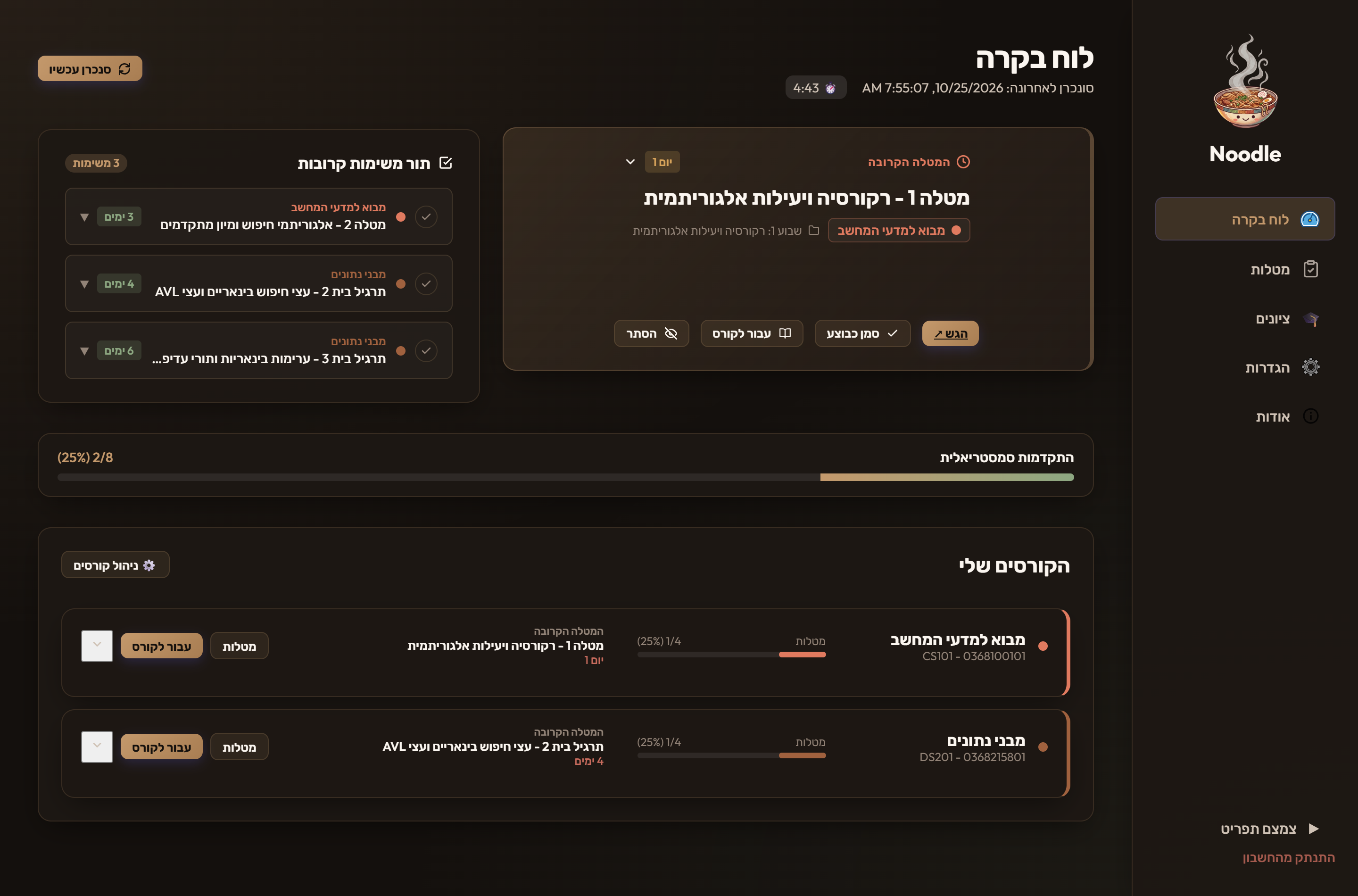
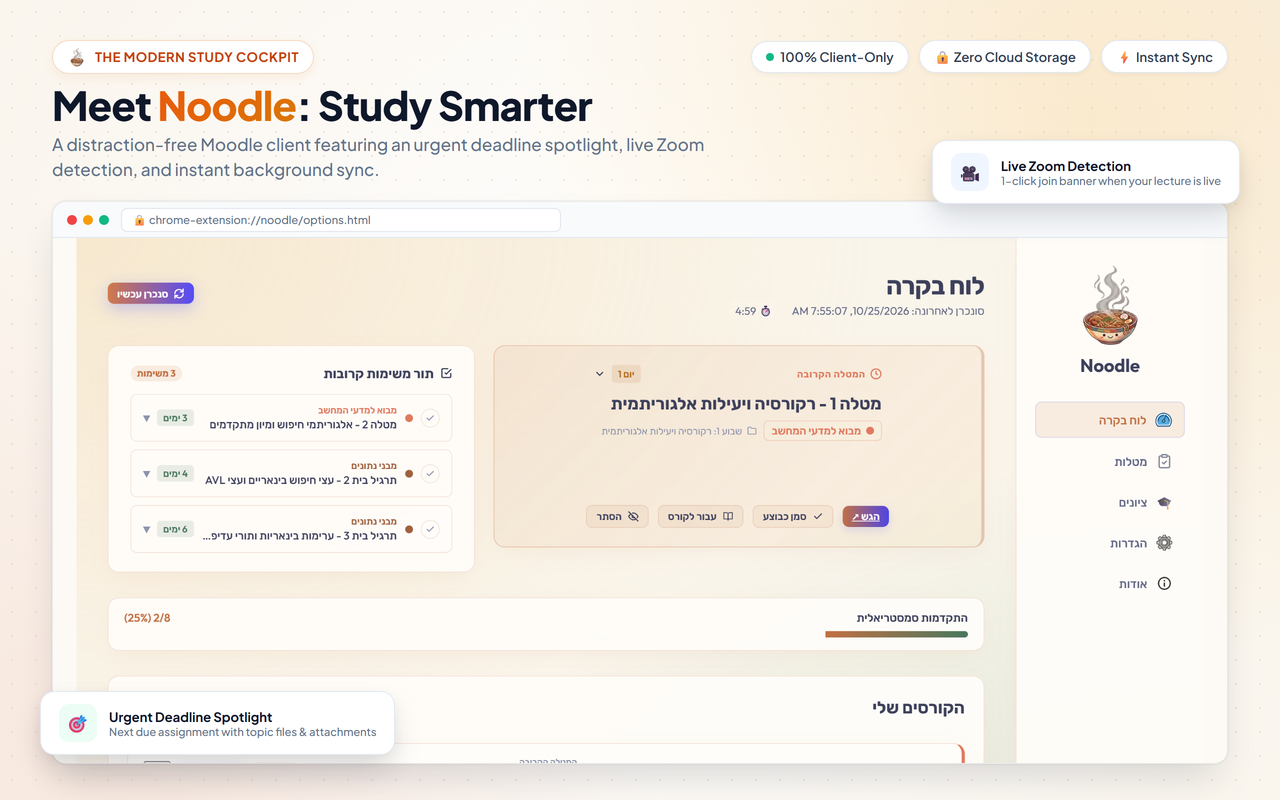
Upcoming Spotlight: Every active assignment gathered in a single sorted queue with live countdowns.

Disconnected Calendar

Moodle doesn't sync with your personal calendar. Manually copying due dates into Google Calendar takes time and easily gets outdated.

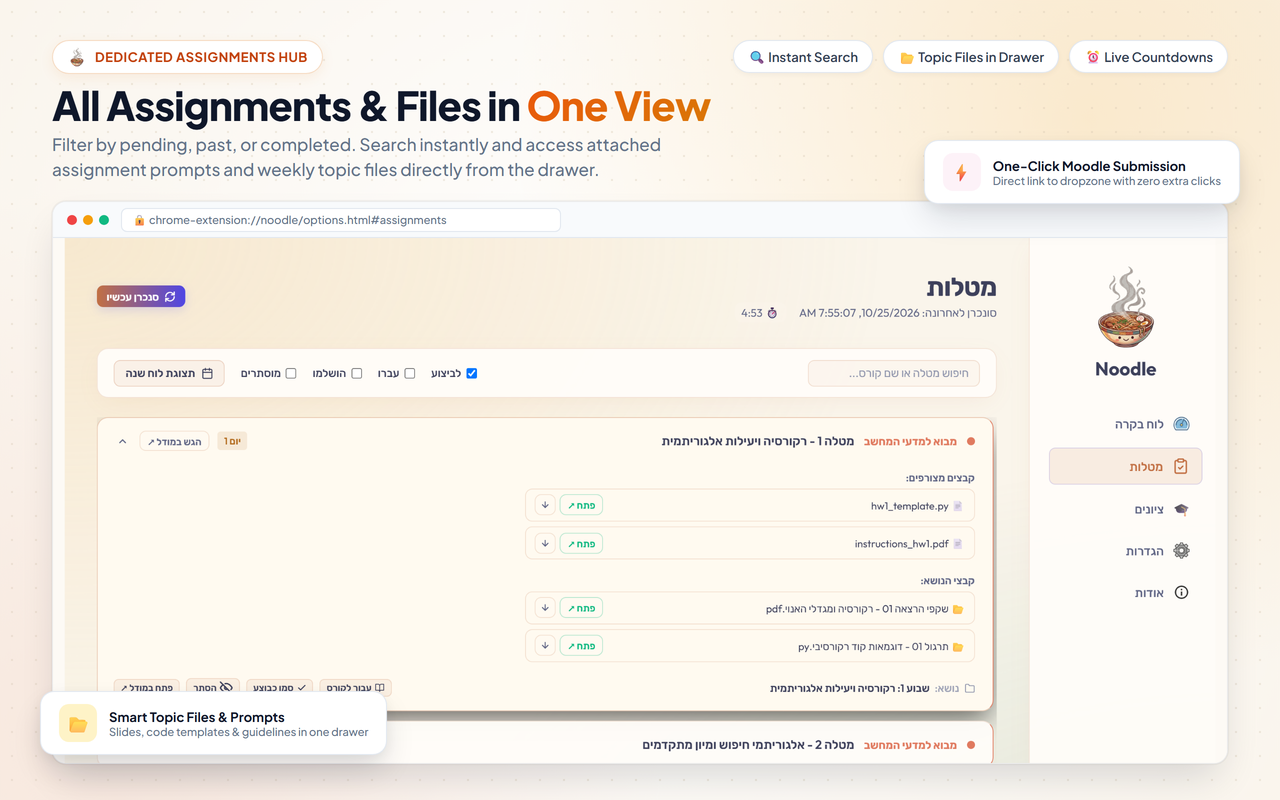
Google Tasks 2-Way Sync: Assignments sync automatically to Google Tasks and appear directly on your Google Calendar.

Scattered Meetings & Recordings

Zoom links and Panopto lecture recordings are often buried across forums, announcements, and syllabus documents.

Course Meeting Hub: Live Zoom alerts and organized lecture recordings right inside each course view.

Everything you need in one place.

Practical tools designed to cut down clicks and keep you organized throughout the semester.

Your closest deadline, always in focus.

The Next-Up Spotlight prominently pins the most urgent assignment due across all your courses. See remaining time down to the second, access required PDF problem sets, and submit directly to Moodle with a single click.

  • Dynamic Urgency Color Coding: Red (≤24h), Amber (≤72h), and Coral so you instantly know what needs attention.
  • 1-Click Done & Hide: Check off assignments you've turned in or hide optional tasks with a single button.
  • Topic File Previews: Preview problem sets and lecture notes directly without waiting for blank browser tabs.
Next Up Spotlight

Automated, 2-way Google Tasks synchronization.
Connect your Google account once. Noodle creates a dedicated "University" list in Google Tasks and automatically keeps your homework and exams synced with your Google Calendar.
  • Silent Background Refresh: Persistent authentication using Google's secure OAuth flow without annoying re-login prompts.
  • Undated Tasks Control: Choose whether to include assignments lacking explicit deadlines or keep your list strictly deadline-driven.
  • Auto-Purge & Resolution: Checking off an assignment in Noodle or Google Tasks automatically syncs the completion status.
Google Tasks Synchronization

Visual monthly planning with color-coded pills.

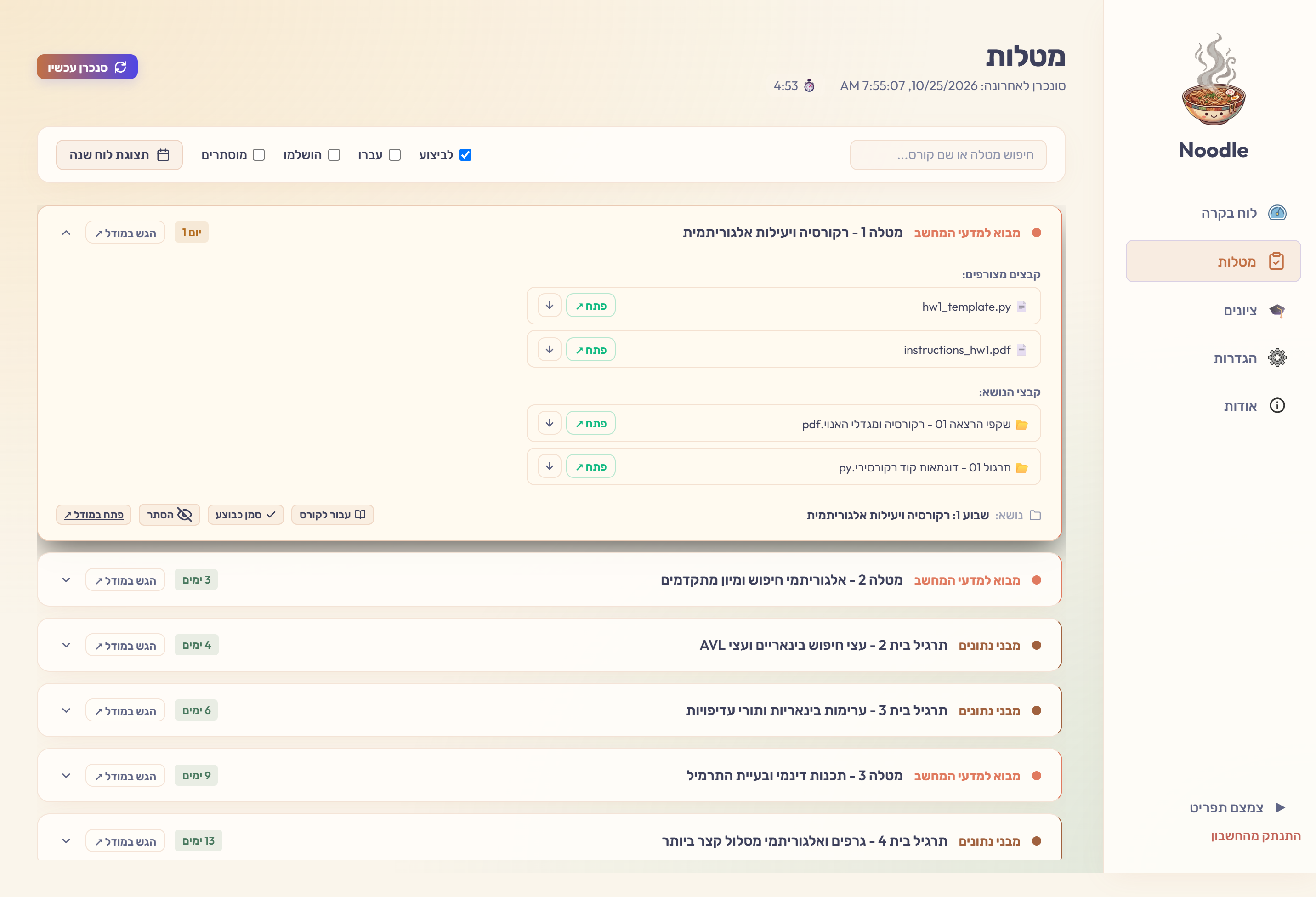
Toggle the calendar view in your Assignments tab to get a responsive split-pane workspace. View your monthly schedule alongside your feed, with assignment pills mapped directly to their due dates.

  • Interactive Pill Navigation: Click any assignment pill in the monthly grid to scroll directly to its full details in the feed.
  • Status Tabs: Effortlessly filter between To Do, Past Due, Completed, and Hidden assignments.
  • Lab Course Smart Hiding: Automatic detection for laboratory courses (`מעבדה`), prompting to hide bulk experiment lists.
Split-Pane Calendar

All lecture recordings, links, and slides in one spot.

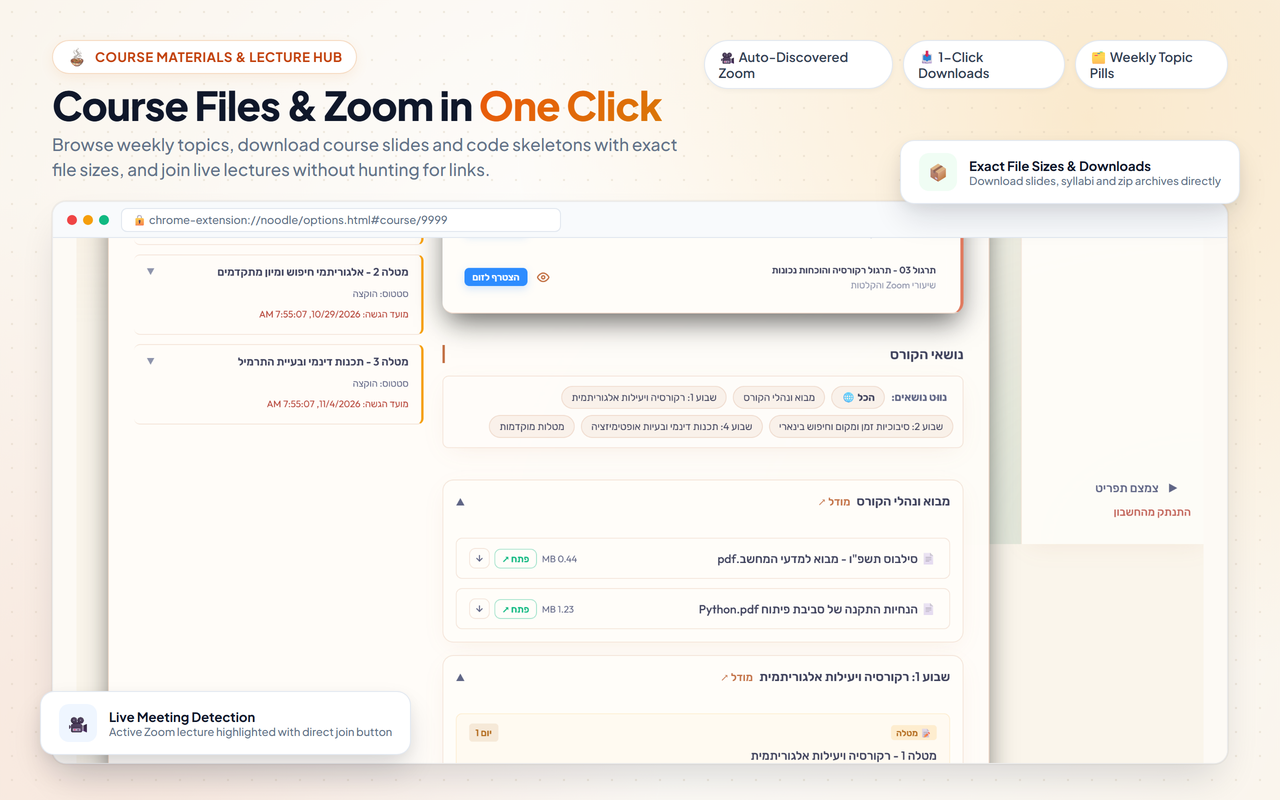
Stop hunting across course blocks for meeting IDs and passwords. Noodle aggregates your lecture and recitation Zoom sessions into an actionable schedule.

  • Live Now Pulsing Alert: See an instant "Active Now" banner at the top of the popup with a 1-click Join button.
  • Section Accordions: Clean topic drawers that organize course documents by syllabus week.
  • Direct Course Shortcut: "Open in Moodle ↗" button whenever you need the raw university page.
Zoom Hub and Course Materials

Make Moodle look and feel like your own workspace.

Replace cryptic university catalog numbers like `0368-1111-01` with friendly names like "Linear Algebra 1", and personalize each course with custom color swatches.
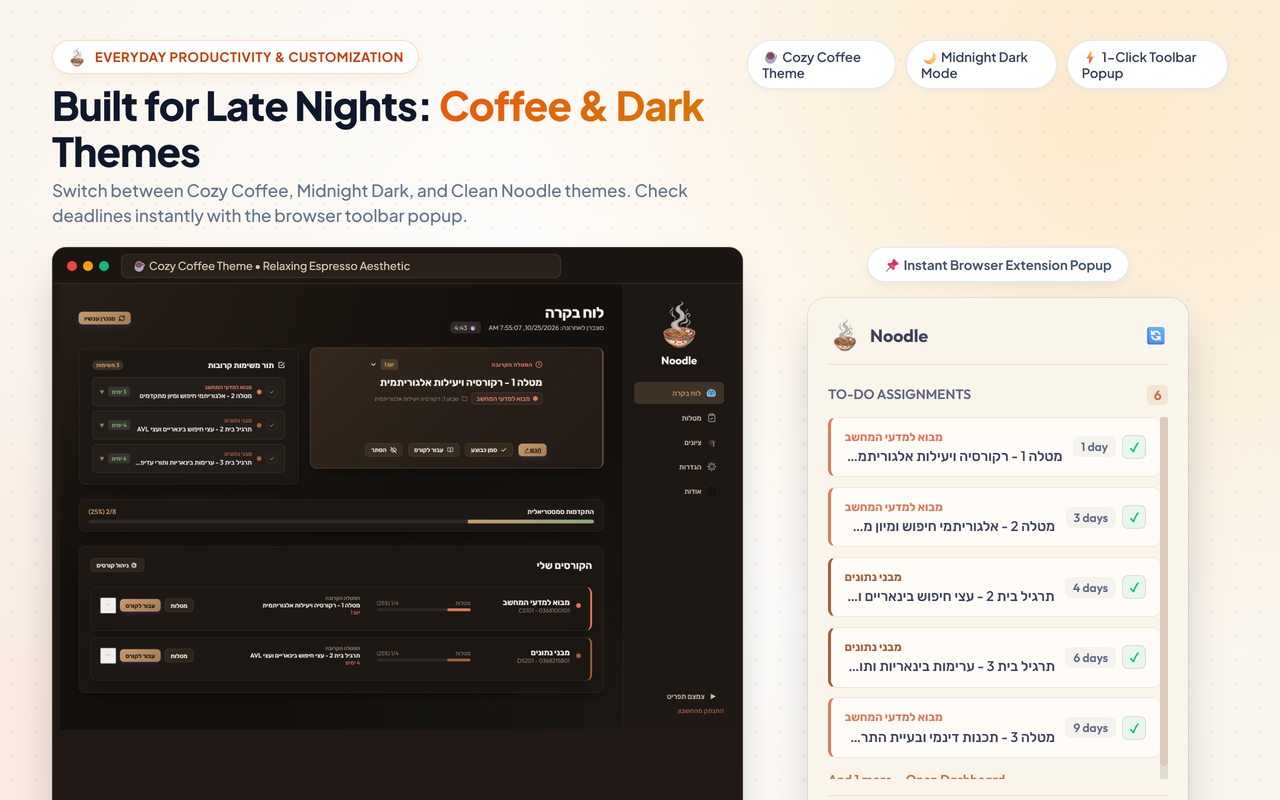
  • 14 Curated Pastel Swatches: Terracotta Coral, Mocha Caramel, Desert Sage, Slate Blue, or custom hex codes.
  • 3 Aesthetic Themes: Warm Paper Light, Modern Dark Espresso, and the signature cozy Coffee Theme.
  • Semester Grouping: Partition your courses by Semester A, Semester B, Summer, and Yearly automatically.
Themes and Customization

Default Moodle vs. Noodle

How everyday tasks feel with the extension installed.

Default TAU Moodle

Standard Navigation

  • Nested Navigation: Multiple clicks through course pages and accordions just to find an assignment prompt.
  • Session Timeouts: Unexpected session expirations while reviewing material or submitting homework.
  • Manual Calendar Work: Having to manually copy due dates and times into Google Calendar.
  • Scattered Meeting Links: Searching through forum announcements and emails for Zoom links and passcodes.
  • Cluttered Queues: Unfiltered lists with dozens of optional lab experiments crowding your homework feed.
With Noodle

Streamlined Workspace

  • Deadline Spotlight: Nearest deadline pinned at the top with live timer and direct 1-click submission link.
  • Instant Local Cache: Course pages, files, and assignments load immediately without waiting for page refreshes.
  • Google Tasks 2-Way Sync: Automatic synchronization with Google Tasks so deadlines show up on your Google Calendar.
  • Live Meeting Alert: Pulsing banner that lets you join live Zoom lectures or recitations with one click.
  • Clean Custom Views: 1-click hiding for completed assignments or optional lab catalogs.

Client-only architecture. No middleman servers.

Noodle operates strictly inside your browser. Your credentials, student ID, grades, and homework never touch any third-party server.

Direct TAU SSO

Login happens directly on Tel Aviv University's official Single Sign-On portal (`nidp.tau.ac.il`). Noodle never sees or stores your password.

Local Storage Only

Course metadata, cached assignments, and preferences are saved exclusively in your browser's encrypted extension storage on your device.

100% Open Source

The entire codebase is public and verifiable on GitHub. No analytics, tracking scripts, or telemetry of any kind.

Frequently Asked Questions

Common questions about Noodle from Tel Aviv University students.

Does Tel Aviv University officially make this?
No. Noodle is an independent, open-source productivity companion built by TAU students for TAU students. It interacts directly with standard Moodle web services and student portal endpoints that your browser already uses.
Is my TAU password or login data safe?
Yes. Noodle has no external servers or databases. Your login occurs directly through Tel Aviv University's official Single Sign-On portal (`nidp.tau.ac.il`). Noodle stores session cookies strictly inside your browser's encrypted local extension storage. We never see, track, or collect your credentials.
How does the Google Tasks synchronization work?
When you connect Google Tasks in settings, your browser requests an OAuth token directly from Google. Noodle creates a dedicated "University" task list in your account and syncs assignments client-side. No intermediate cloud service has access to your Google account.
Is Noodle free? Are there any hidden costs?
Noodle is completely free and open-source under the MIT license, with zero ads, subscriptions, or tracking.

Install Noodle for your browser.

Pick your preferred browser and get started in seconds.

Google Chrome

Works on Chrome, Brave, Microsoft Edge, Opera, and all Chromium browsers.

Chrome Web Store ↗

Mozilla Firefox

Native Firefox Add-on with complete cookie isolation and Gecko support.

Firefox Add-on ↗